Behind the Scenes of GitHub UI Translator
Completing Support for Eight Languages
Section titled “Completing Support for Eight Languages”GitHub UI Translator now supports all eight non-English languages currently available in GitHub Docs.
I started with Japanese and spent about two months expanding support to the other languages.
If there is enough demand, I would also like to support languages that are not currently available in GitHub Docs.
| Language | Supported since |
|---|---|
| English (source language) | — |
| 日本語 (Japanese) | v0.1.0 |
| 简体中文 (Simplified Chinese) | v0.1.5 |
| Español (Spanish) | v0.1.7 |
| Português do Brasil (Brazilian Portuguese) | v0.1.7 |
| Deutsch (German) | v0.1.7 |
| 한국어 (Korean) | v0.1.8 |
| Русский (Russian) | v0.1.9 |
| Français (French) | v0.1.9 |
Why I Built It
Section titled “Why I Built It”GitHub is ubiquitous among software engineers, but its interface is primarily in English. This can make parts of it difficult to use for people whose first language is not English.
In a company, the person responsible for administering GitHub is not always an engineer. Even when the English interface is difficult to understand, organizational security policies may prohibit the use of external translation services.
The English interface can also feel like an additional barrier for engineers who are just starting their careers.
Even experienced engineers may find it tiring to translate the interface mentally when they are already fatigued. In some situations, that extra burden can lead to clicking the wrong option.
That led me to build a browser extension that translates GitHub’s interface locally, without relying on external services. My goal was to reduce some of the burden of using GitHub.
What Gets Translated
Section titled “What Gets Translated”GitHub UI Translator targets fixed interface text provided by GitHub, including navigation items, buttons, headings, and labels. As a rule, it does not translate user-created content such as READMEs, issues, comments, code, user names, or repository names.
Translations come from dictionaries bundled with the extension. The extension replaces text only when the displayed English text exactly matches a dictionary key. Because the dictionaries are local, it does not send page content to an external translation API or cloud service.
Rather than scanning every element indiscriminately, the extension uses an allowlist to identify interface elements that may be translated. It also excludes elements and URLs associated with user-created content, reducing the risk of unintended translation.
However, this does not guarantee that user-created content will never be translated. Changes to GitHub’s interface or HTML structure may cause an issue title or another user-defined name to be translated unintentionally.
For a detailed breakdown, see Translation Scope.
Translation Decision Flow
Section titled “Translation Decision Flow”The following diagram summarizes the main decisions made by the implementation. The extension recalculates the translation scope from the current URL not only on the initial page load, but also after dynamic DOM changes and when a page is restored from browser history.
flowchart TD
    A["Initial load, DOM change,<br/>or history restoration"] --> B["Determine the translation scope<br/>from the current URL"]
    B --> C{"Is the element<br/>on the allowlist?"}
    C -- "No" --> Z["Leave the original text unchanged"]
    C -- "Yes" --> D{"Does an exclusion rule apply?"}
    D -- "No" --> F["Prepare the string<br/>for dictionary lookup"]
    D -- "Yes" --> E{"Is it a React area<br/>waiting for hydration?"}
    E -- "No" --> Z
    E -- "Yes" --> W["Wait for hydration to finish"]
    W --> B
    F --> G{"Does it match<br/>a dictionary key?"}
    G -- "No" --> Z
    G -- "Yes" --> H["Replace it with the translation<br/>from the local dictionary"]
Development Challenges
Section titled “Development Challenges”Reducing Accidental Translation of User-Created Content
Section titled “Reducing Accidental Translation of User-Created Content”The boundary between fixed interface text and user-created content differs from one screen to another. For example, Issues is fixed text when it appears in navigation, but the same English word could also appear in an issue title or a name supplied by a user.
If the translation scope is too broad, titles and names that happen to match a dictionary key may be translated as well. I therefore checked the actual screens and adjusted the translation scope and exclusion rules for individual pages and URL patterns. I prioritize leaving user-created content untouched over translating more interface text.
Keeping Up with GitHub’s Dynamic Navigation
Section titled “Keeping Up with GitHub’s Dynamic Navigation”GitHub can switch between screens without performing a full page reload. Translating only when a page first opens would therefore leave parts of the destination screen in English.
GitHub UI Translator watches for elements added to the page and translates the relevant areas again when necessary. When the browser restores a previous screen through its Back or Forward button, the extension also reevaluates the translation scope using the current URL.
Avoiding Conflicts with Global Search
Section titled “Avoiding Conflicts with Global Search”During development, I encountered a problem where GitHub’s global search sometimes failed to appear when I opened GitHub for the first time after launching the browser. The extension was modifying the header before GitHub had finished hydrating it with React.
The extension now waits for React hydration to finish before translating the affected area. GitHub could still make changes that cause another conflict, so global header translation can also be turned off from the extension popup.
More Languages Mean More Store Descriptions
Section titled “More Languages Mean More Store Descriptions”Adding a language involves more than creating another dictionary. I also translate the extension interface and README, update the supported-language lists, and check whether the change affects existing documentation, including the privacy policy.
The localized descriptions for the Chrome Web Store and Microsoft Edge Add-ons also grow as more languages are supported. The Firefox Add-ons listing currently has descriptions in English and Japanese only, but each store still has its own content and set of supported listing languages to manage. A change in one place may need to be carried across multiple languages and stores.
With support for eight languages, the pre-release checklist has grown considerably.
Managing the Dictionaries
Section titled “Managing the Dictionaries”While I Was Adding Languages
Section titled “While I Was Adding Languages”I initially managed the translation dictionaries with a separate tool.
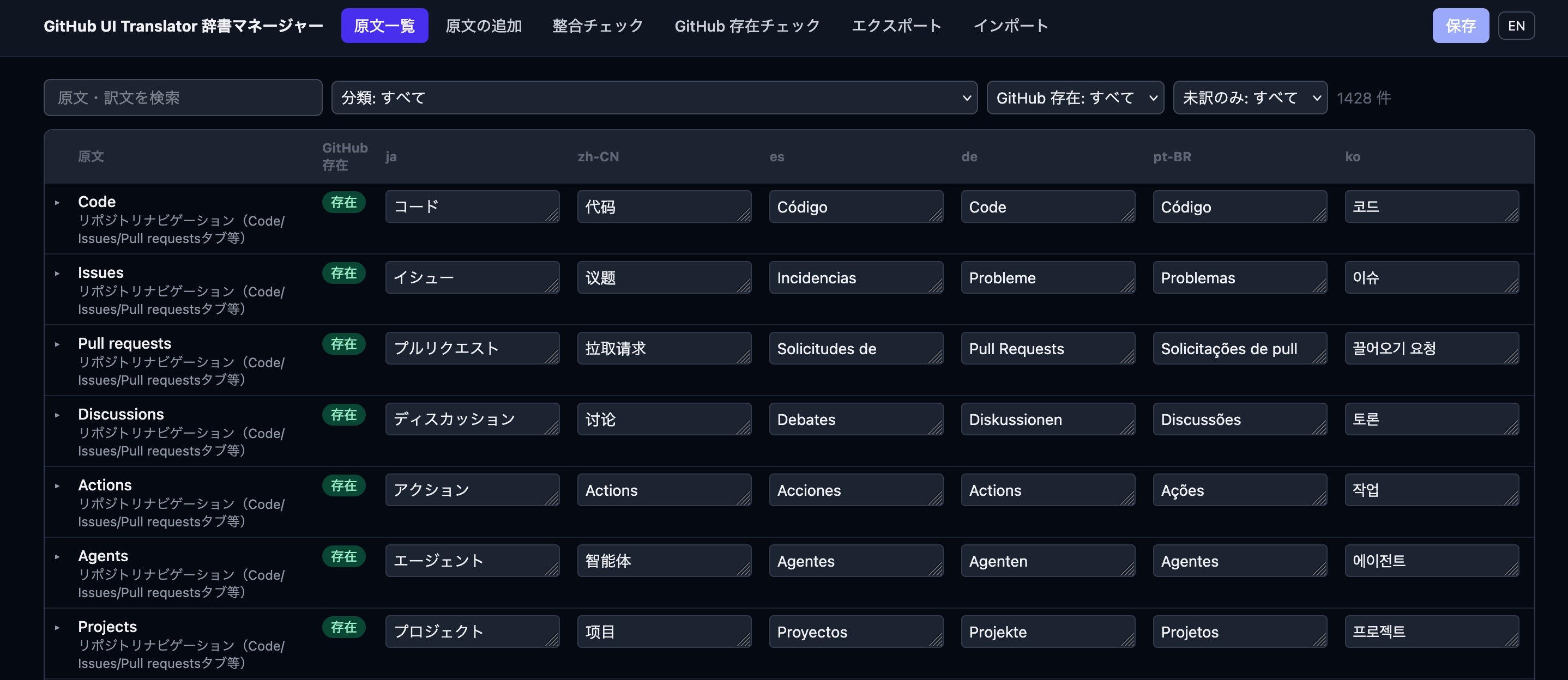
However, checking whether each string still appeared on GitHub required both crawling pages and manually pasting in page HTML. A final visual check was still essential, which made the dictionaries cumbersome to maintain.
Once the dictionaries had largely stabilized, I stopped using this tool.
Maintenance Features Built into the Extension
Section titled “Maintenance Features Built into the Extension”The settings page in the current release is a simple screen that displays dictionary information and the extension version.
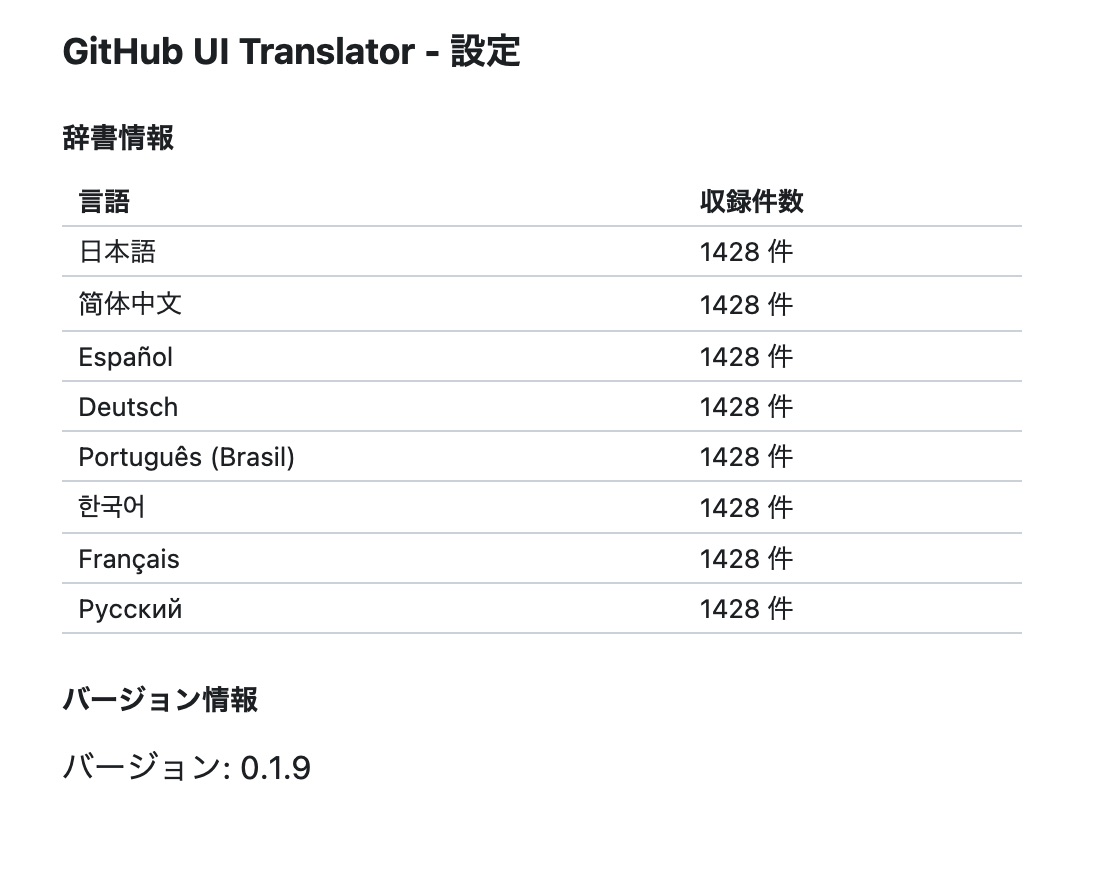
The development version, however, includes features for maintaining the dictionaries.
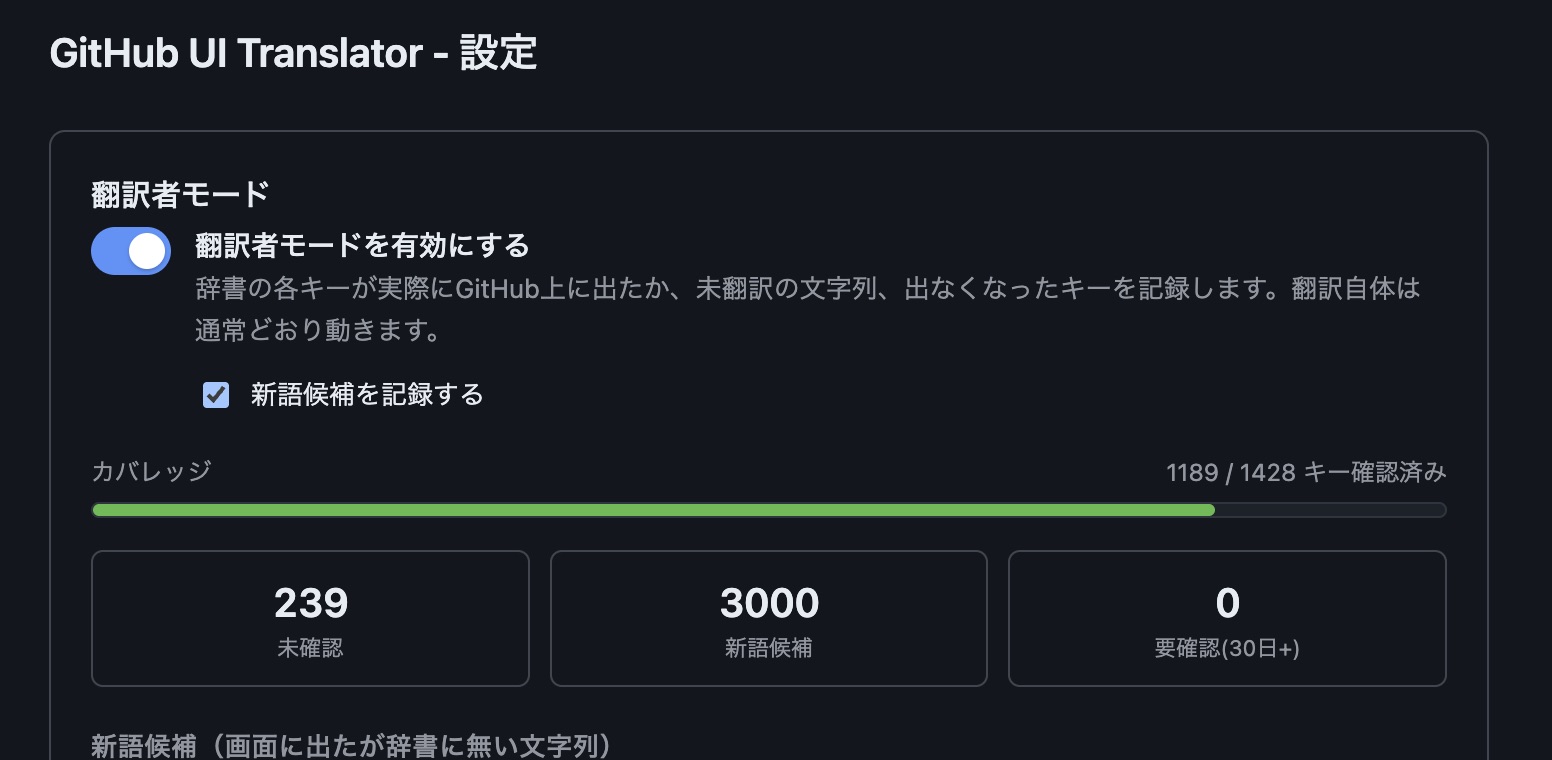
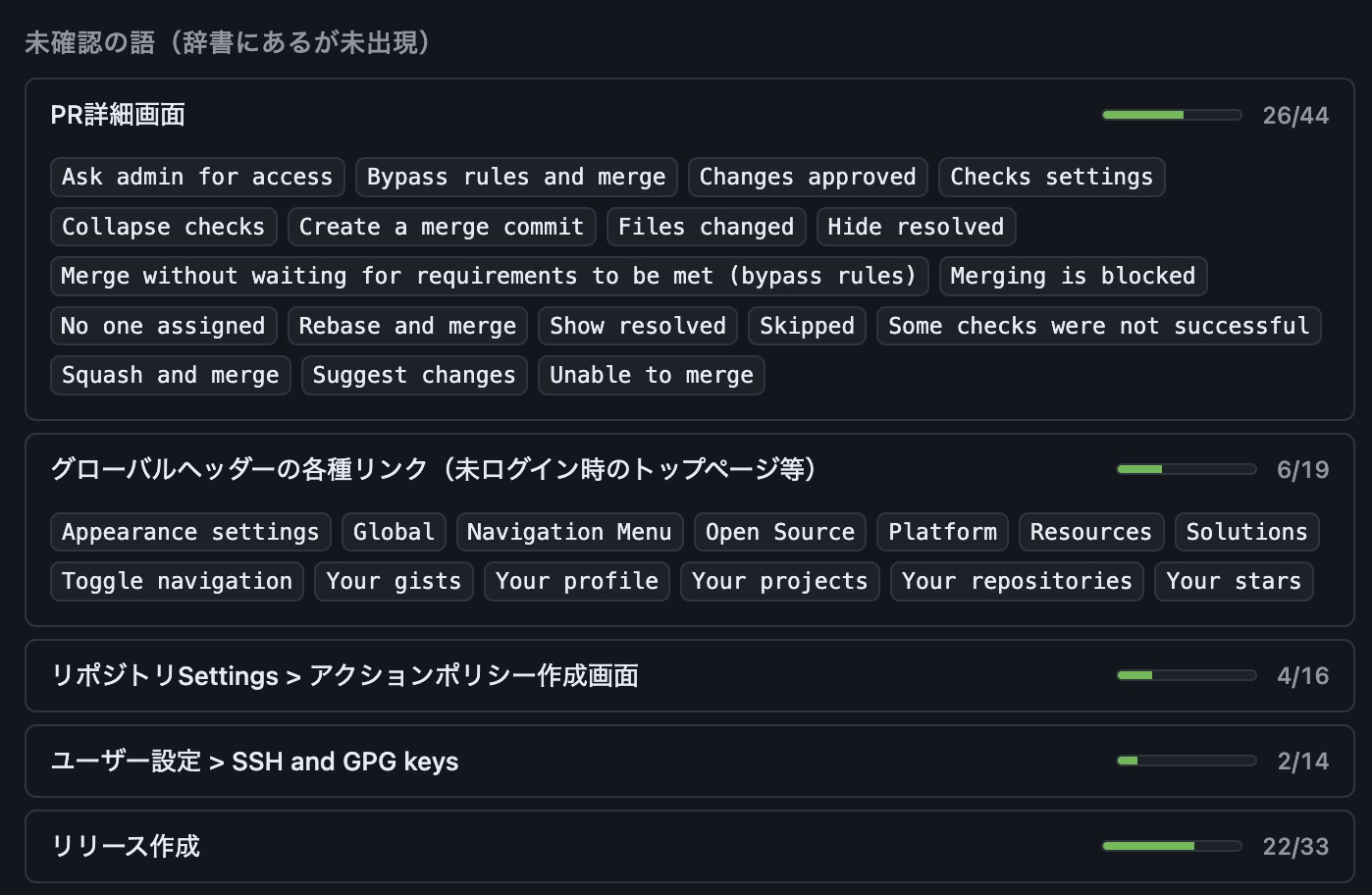
As I browse GitHub, these features show dictionary coverage and collect candidates for new entries.
I initially considered adding them to the released extension. However, they store fixed interface strings observed while browsing, which would require reviewing the privacy policy. For now, they remain development-only features.
If I release them in the future, I expect to publish them as a separate developer tool in another repository rather than distribute them through browser extension stores.
What’s Next
Section titled “What’s Next”GitHub’s interface continues to evolve, so creating the dictionaries once is not the end of the work. I plan to keep improving translation quality across the existing eight languages as GitHub changes its wording and adds new screens.
I will also consider adding languages that are not currently available in GitHub Docs if there is enough demand.
If you find untranslated interface text or an awkward translation, I would appreciate an issue or pull request in the GitHub repository. For an overview of the extension and installation instructions, see the GitHub UI Translator project page.